
OMR and 2D codes in bulk mailing: how to control envelope inserting
In variable correspondence, one envelope may contain a single sheet while the next contains several pages and an enclosure. OMR or 2D codes help the inserter recognise mailpiece boundaries, but process integrity still depends on code design, testing, exception handling and full batch reconciliation.
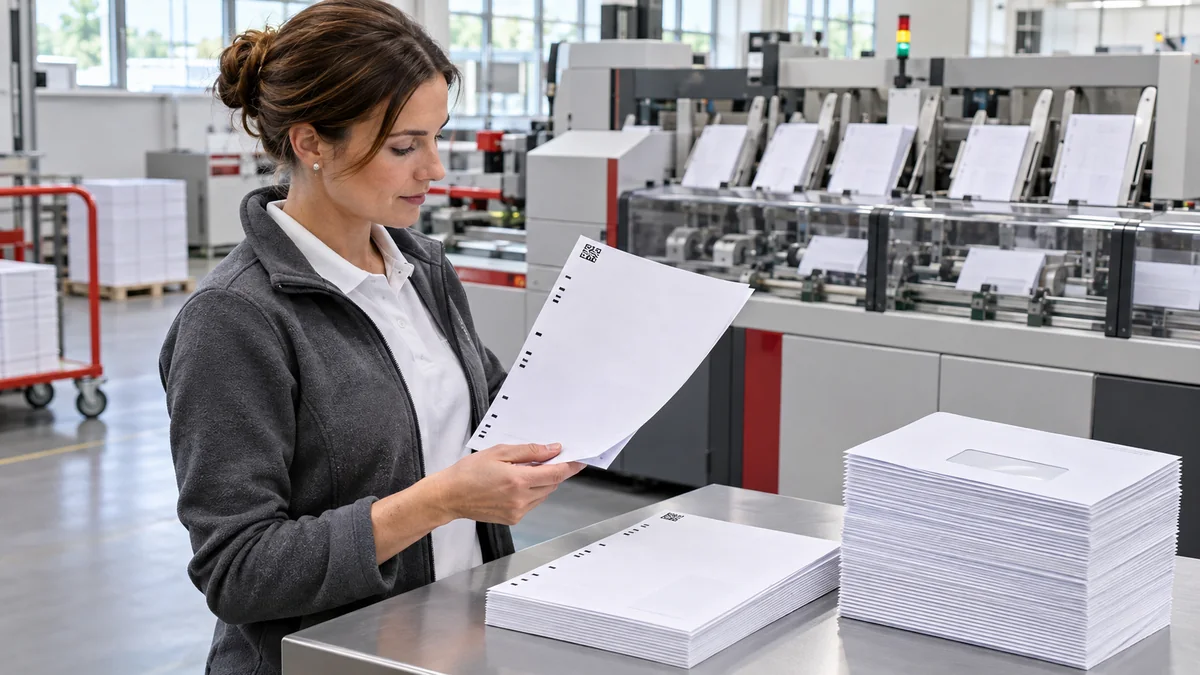
Start by defining what the code must control
OMR reads a pattern of short optical marks, while 1D or 2D codes can carry more information. Depending on the configuration, they may indicate the beginning and end of a set, page count, enclosure selection or mailpiece identity. Define the function before documents are generated so data preparation, printing and inserting follow one rule.
Do not treat the code as decoration in the margin
The reader must find the mark in a predictable position and with sufficient contrast. Keep the surrounding area free from text, rules, backgrounds and graphics. Quadient's official guidance for 2D codes specifies a quiet zone based on code type and module size. Position, size and clearance should therefore be approved on a sample produced with the target equipment.
Link the code to the true document boundary
The main risk is not only a missing code, but a code assigned to the wrong page. The generator should build sets according to an unambiguous rule, while input control compares records, documents and pages. Only then should the batch move to printing and inserting.
Test short, long and enclosure-based records
The sample should include a one-page mailpiece, a multi-page set, a set with an enclosure and a record at the maximum page count allowed for the job. Check the beginning, middle and end of the file. A successful first envelope does not prove that every variant follows the rule.
Define the response to an unreadable code
The process should state what happens after a no-read, double feed or unexpected sheet count. A safe configuration stops or diverts the mailpiece to a controlled exception path. Documents should not be inserted manually outside the register, because that breaks the link between the record, reprint and final envelope.
Reconcile production after the batch
The report should compare input records, successfully assembled mailpieces, exceptions, shortages, waste and controlled reprints. Commercial inserters support OMR, barcode and 2D reading; selected configurations also provide datalogging or file-based processing. The exact evidence must still be agreed for the job and equipment used.
A code does not replace privacy controls
A correctly read mark cannot prove that the source file placed the right personal data in the right document. Input validation, sample sets, access restrictions, data protection and exception reconciliation remain necessary. The code is one part of the control system, not the entire system.
BackOffice Outsourcing can manage the complete mailing workflow
BackOffice Outsourcing combines data preparation, personalisation, printing, folding, inserting, batch control and handover for dispatch. For each job we agree document variants, sample rules, exception handling and the final report. The client gains one coordinated process instead of managing files, print and fulfilment separately.
Sources
- Quadient — DS-1200 G4i: OMR, OCR, 1D and 2D reading
- Quadient — Reading Reference Guide: quiet zones for 2D codes
- BlueCrest — Evolution Inserter: OMR, barcode, 2D and OCR
- Pitney Bowes — Relay Integrity Express: 2D-supported document assembly
FAQ
What is the difference between OMR and a 2D code?
OMR uses a set of optical marks, while a 2D code can store more information in a small area. The right option depends on the documents, equipment and required controls.
Does a code guarantee the correct envelope contents?
Not on its own. It must work with correct source data, document-boundary rules, sample checks, exception control and batch reconciliation.
What should happen when the reader cannot recognise a code?
The mailpiece should stop or be diverted to a defined exception path so the cause can be checked and any reprint or reprocessing can be controlled.
When are control codes useful?
They are especially useful for variable page counts, optional enclosures, multiple document variants and jobs that require a traceable inserting process.